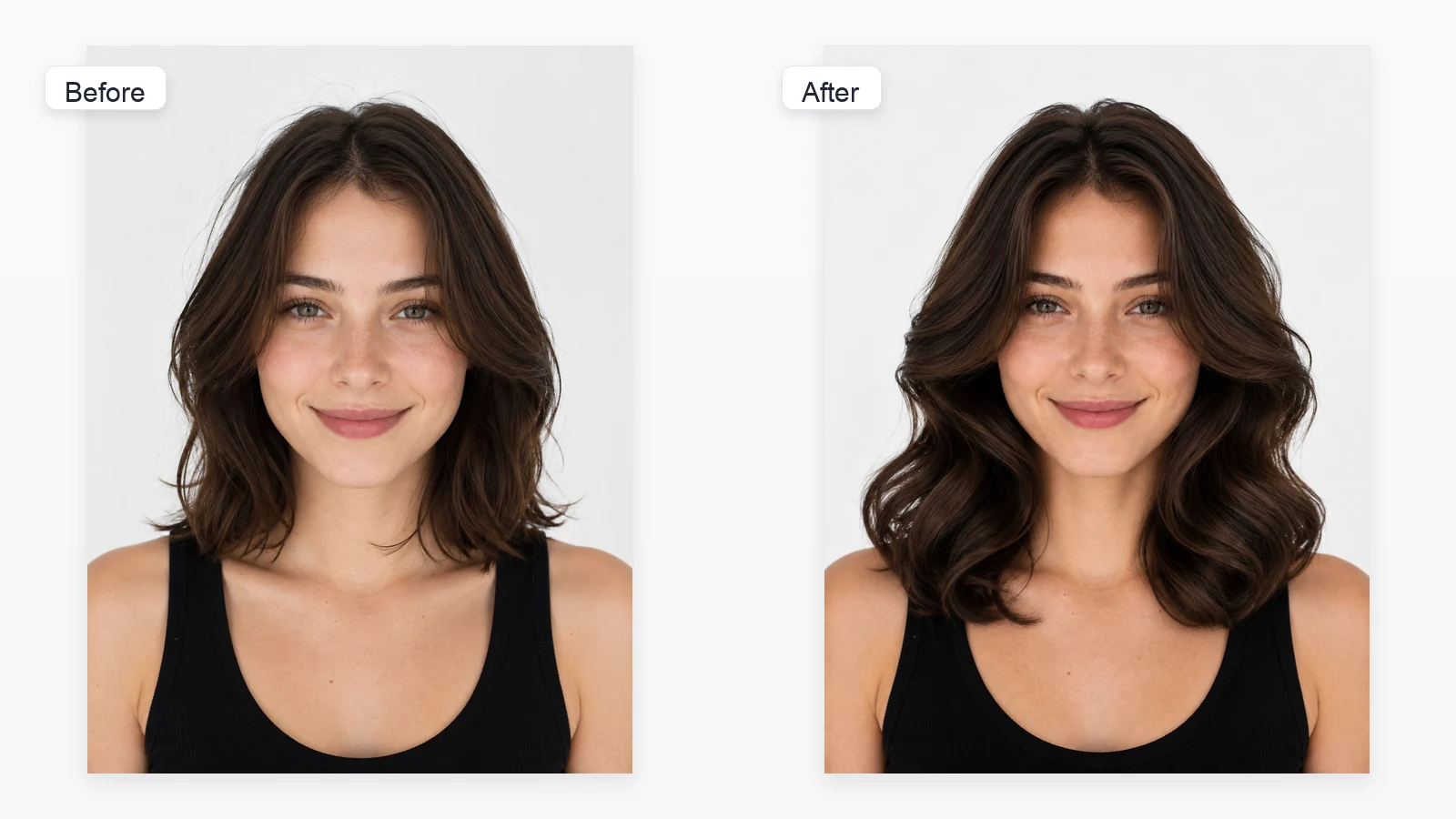

Show the full head and hair
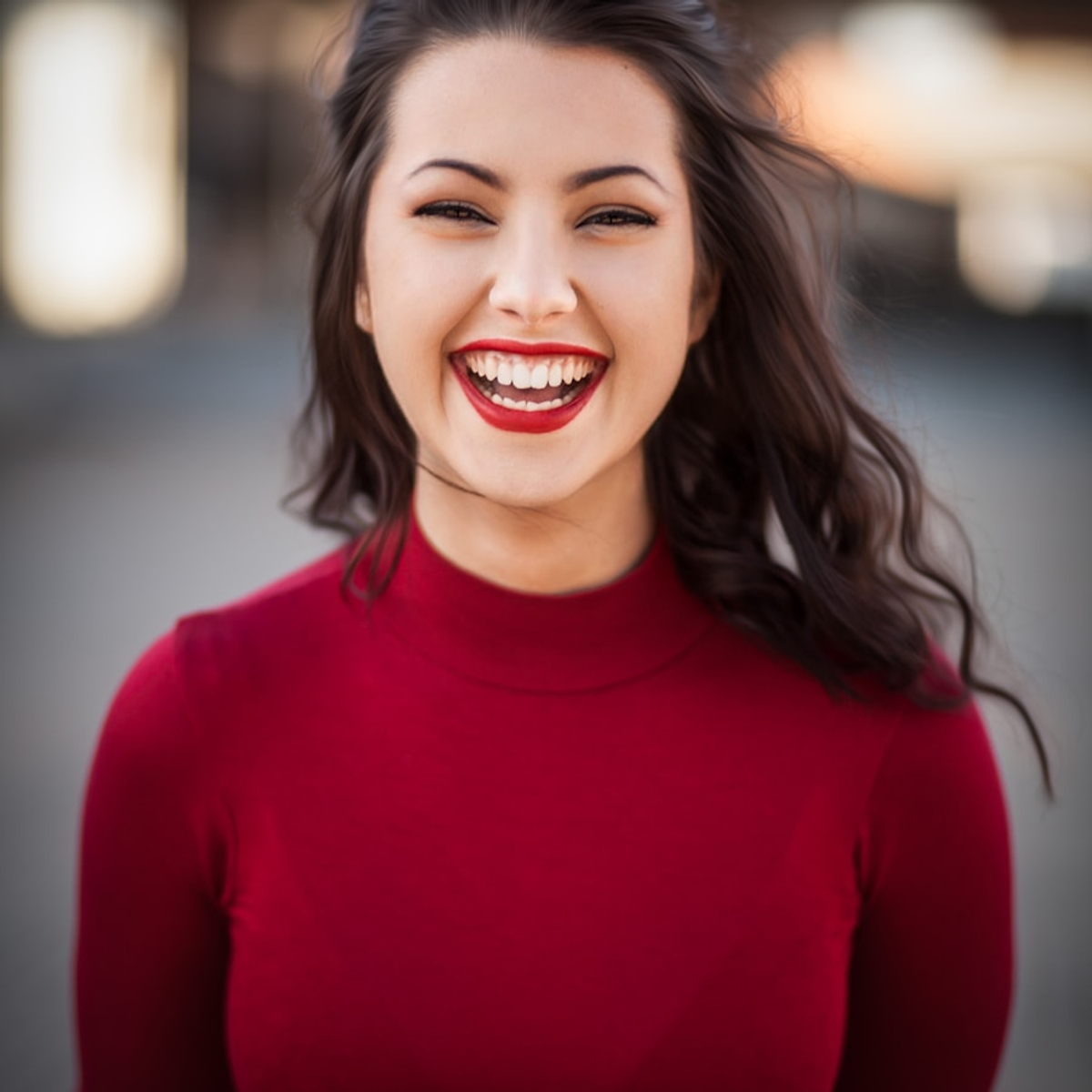
Avoid photos that crop the top of the head, hide the hair under a hat, or cover large areas with hands.

JPG, PNG, WEBP up to 30MB each Β· max 1 images
Upload one clear portrait, browse Women or Men styles, or describe another look in Custom. No signup and no watermark.

An AI hairstyle changer edits the visible hair in an uploaded portrait so you can explore a different cut, length, texture, or styling direction. Toolaze separates popular looks into Women and Men tabs and provides a Custom option for another hairstyle. The result is a visual concept, not a guaranteed prediction of a real haircut.
Choose a front-facing or near-front-facing photo where the full hair shape and hairline are visible.
Browse visual styles such as Short Bob, Big Waves, Top Bun, Buzz Cut, Crew Cut, Bald, or Taper Fade.
Generate the selected hairstyle, or open Custom to describe a different cut, length, fringe, texture, or volume.
A clear reference image gives the editor more reliable information about the face, current hairline, head shape, lighting, and background.
Avoid photos that crop the top of the head, hide the hair under a hat, or cover large areas with hands.
Strong shadows and backlighting can make the hairline and texture harder to interpret.
Front-facing and slight three-quarter portraits are easier to preview than extreme side views or tilted poses.
Use a photo without heavy motion blur, sunglasses, or strands covering most facial features.
Use the AI result to explore visual direction and communicate ideas. A stylist still needs to assess your hair texture, density, growth pattern, maintenance needs, and how a cut will behave in real life.
| Question | AI Preview Helps With | A Stylist Decides |
|---|---|---|
| Will this length suit the portrait? | Compare short, medium, and long visual proportions quickly. | How much usable length can be removed while keeping the desired shape. |
| How might bangs or fringe look? | Explore face-framing directions and styling ideas. | How the fringe should be cut for your hairline, cowlicks, density, and maintenance. |
| Can I try a different texture? | Visualize waves, curls, sleek styling, or more volume. | What styling methods or treatments are realistic for your natural hair. |
| Is the preview exact? | Create a fast concept for comparison or discussion. | Set realistic expectations based on consultation, technique, and hair condition. |
Compare several visual directions before discussing a cut or styling plan with a professional.
Explore a different hairstyle direction for creator profiles, avatars, dating profiles, or personal branding drafts.
Try taper fades, textured crops, curly crops, slicked-back looks, and buzz cuts from one portrait.
Test hairstyle ideas for cosplay, themed portraits, performances, and fictional character concepts.
Generate visual style experiments for posts, mood boards, thumbnails, and before-you-change concepts.
Upload one portrait and work directly from the visible person instead of generating a new identity.
Browse focused hairstyle collections instead of mixing every look in one long list.
Open Custom when the hairstyle you want is not included in the visual templates.
Explore long, short, curly, sleek, feminine, masculine, and low-maintenance directions.
Switch to another template or update the Custom description when the first result needs a different shape, length, or texture.
Try the standard online workflow with no signup and no watermark for fast hairstyle exploration.
People use Toolaze as an idea generator and visual reference, not as a promise of an exact salon result.
βI had long hair for years and could not picture a bob without actually cutting it. The visual presets helped me compare a layered bob, waves, and a shorter updo. My favorite preview was not perfect around a few strands, but it gave me a much clearer reference to show my stylist.β
Nina C.
Planning a shorter cut
βI used one front-facing photo to compare a taper fade, crew cut, buzz cut, and bald look. The Men tab made the choices easy to scan, and Custom gave me another option before discussing the final cut with my barber.β
Marcus T.
Trying men's haircut ideas
βFor a profile photo refresh, I wanted to test a sleek look and a softer curly bob without booking a shoot first. The page was quick to use and the preset cards made the options easy to scan. I treated the results as mood-board material, which was exactly what I needed.β
Elena P.
Creator portrait concepts
It uses your uploaded portrait as the identity reference and applies the selected hairstyle template. If the style is not listed, Custom lets you describe another haircut while keeping the request focused on the hair.
Use a clear front-facing or slight three-quarter portrait with the full head visible, even lighting, a readable hairline, and minimal obstruction around the face.
Yes. The preset list includes longer layered looks, waves, bobs, short crops, fades, slicked-back styling, curls, and buzz cuts. You can also describe another style in the prompt.
Yes. Open Custom and describe the length, fringe, part, curls, volume, texture, or styling direction you want.
The selected template includes instructions to preserve identity and non-hair details, but generated results can still vary. Review the preview and try another generation if the face or background changes more than expected.
No. It is a visual concept. A real haircut depends on your hair texture, density, growth pattern, current length, styling routine, and the technique used by a professional.
Yes. You can use the standard Toolaze AI Hairstyle Changer online for free with no signup and no watermark.
After generating a result, use the available page controls to save or download the image.
Yes. It can help communicate a general direction, but ask your stylist what is realistic for your current hair and maintenance preferences.