Use a front-facing portrait
Front-facing or near-front-facing photos make it easier to preserve the face and edit the visible hair area.
Upload a clear portrait, enter the hair color you want, and instantly preview an AI-edited look online with no signup and no watermark.
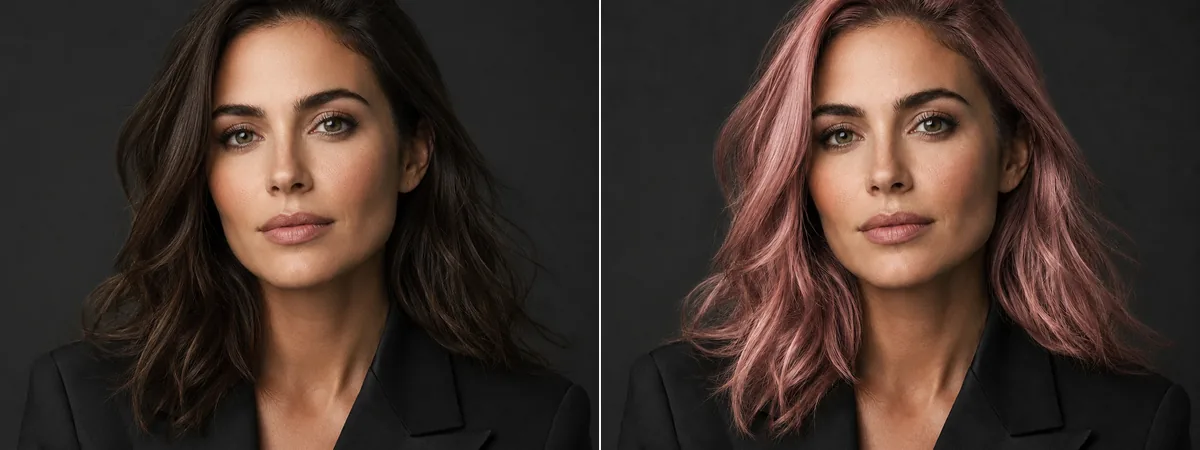
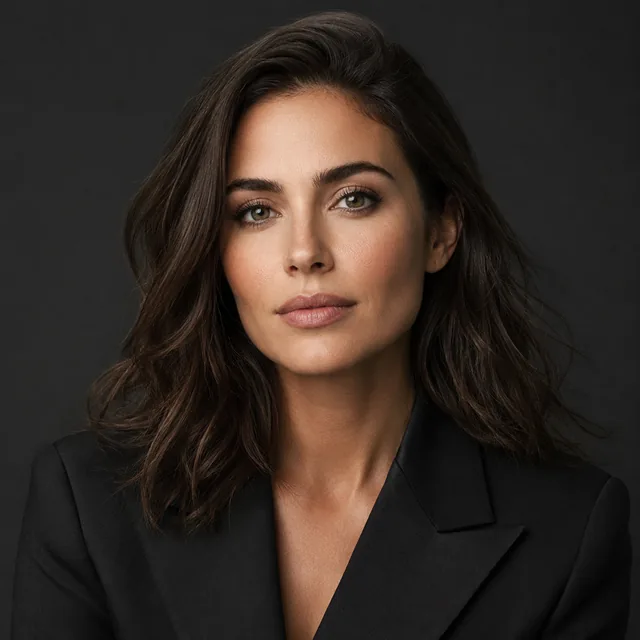 1
1Image 1: upload the portrait whose hair color you want to change.
An AI hair color changer lets you upload a portrait and preview a new hair color online before dyeing your hair, refreshing a profile photo, planning cosplay, or creating social visuals. Instead of applying a flat color filter, Toolaze uses the reference image and your chosen color direction to edit the hair area while keeping the face, hairstyle, skin tone, and background visually consistent.
Choose a front-facing or near-front-facing photo where your hair is visible from root to end.
Write a direct prompt such as change the hair color to honey blonde, copper brown, silver gray, or rose pink.
Preview the edited result instantly, then adjust the prompt if the color looks too strong, too flat, or not close enough to your target shade.
The reference photo matters. A better input image gives the AI more information about hair shape, texture, lighting, and where the color should appear.
Front-facing or near-front-facing photos make it easier to preserve the face and edit the visible hair area.
Use a photo where the hair is not cropped, hidden by a hat, blocked by hands, or lost in strong shadows.
Clear curls, layers, bangs, braids, and highlights give the edit more structure to follow.
Back-view photos, heavy motion blur, side profiles, and tiny hair areas are harder to judge in a preview.
Copy a prompt into the tool, then adjust the shade, intensity, or finish.
Change the hair color to soft rose pink while keeping the face, hairstyle, skin tone, and background natural.
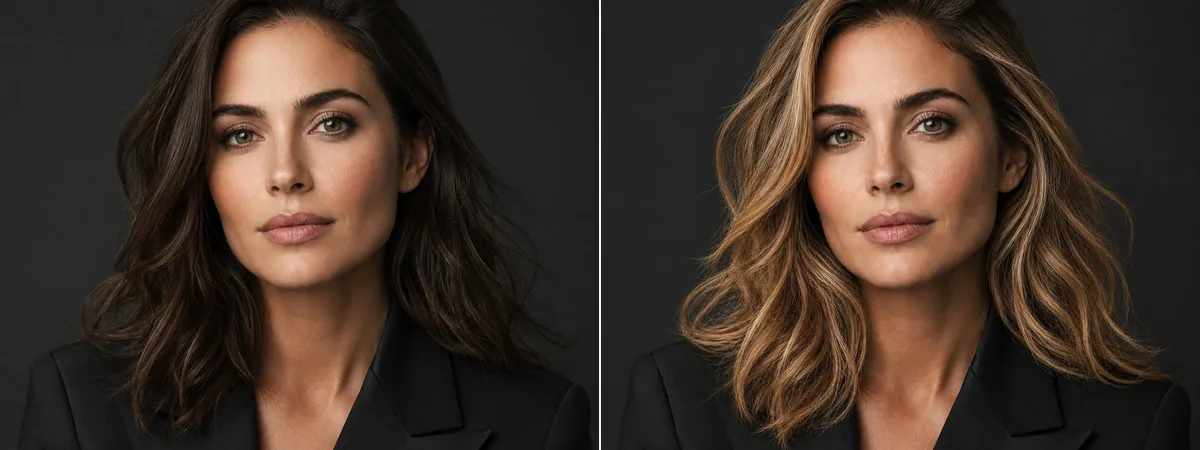
Change the hair color to warm honey blonde with natural highlights and realistic lighting.
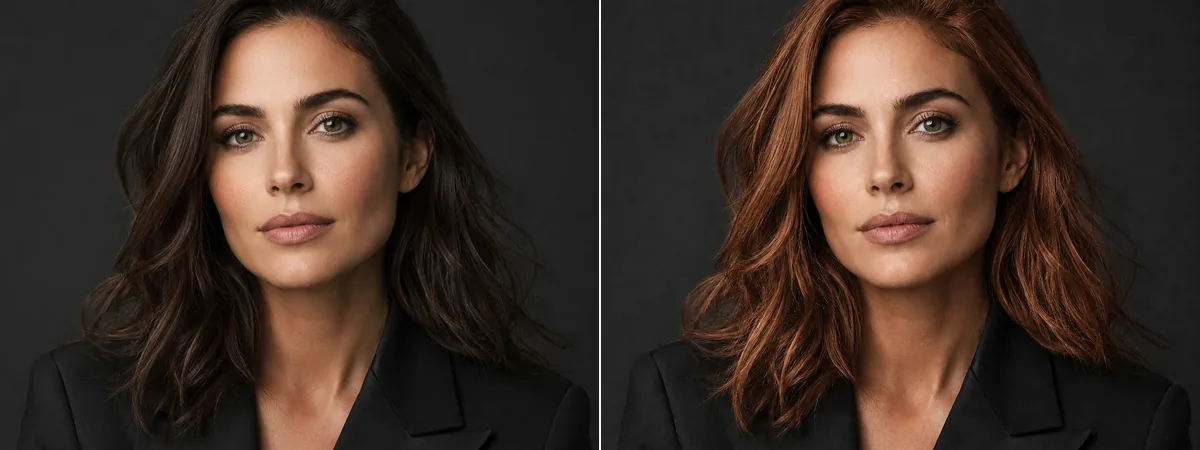
Change the hair color to copper brown while preserving the original hairstyle, face, and background.
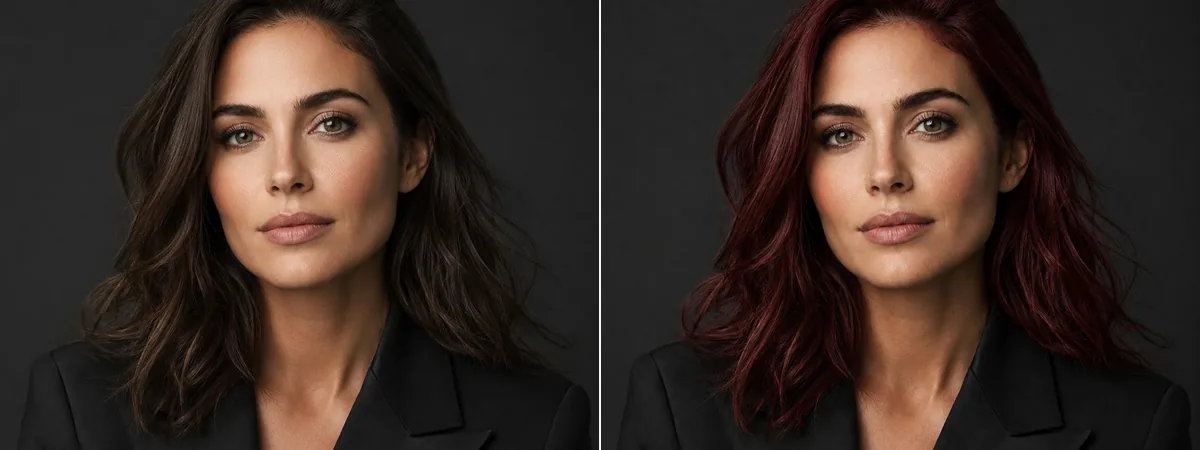
Change the hair color to deep burgundy red with a natural glossy finish.
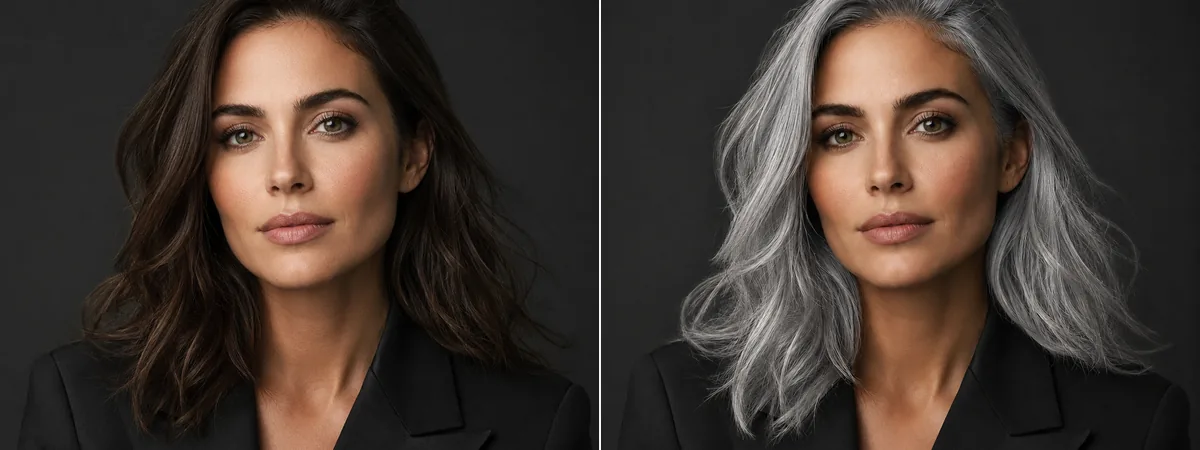
Change the hair color to silver gray while keeping the hair texture and facial features unchanged.
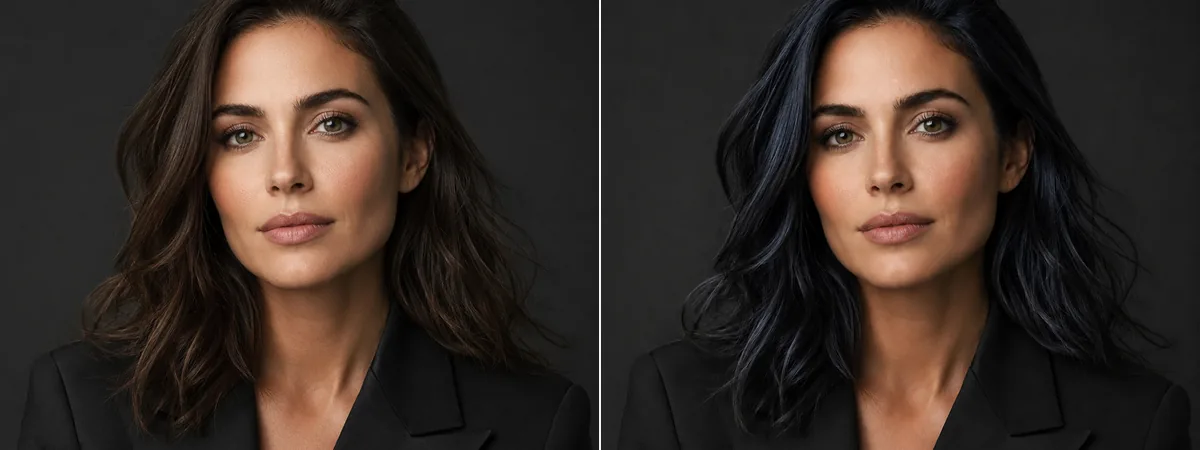
Change the hair color to blue black with subtle cool highlights and realistic shadows.
Try pink, blonde, copper, silver, brunette, or darker tones before committing to a real dye appointment.
Create a new look for avatars, creator profiles, dating profiles, or personal branding drafts.
Test bold colors for cosplay, fantasy portraits, themed edits, or character-inspired looks.
Make quick visual variations for posts, thumbnails, stories, and style experiments.
Create a visual reference to discuss color direction with a stylist without treating the preview as a guaranteed salon result.
Use a simple filter for quick color play. Use Toolaze when you want a prompt-guided preview that can describe shade, finish, realism, and what should stay unchanged.
| Goal | Simple Filter Works When | Use Toolaze When |
|---|---|---|
| Trying one quick color | You only need a fast pink, blonde, or black overlay for fun. | You want the result to consider the original portrait, lighting, hairstyle, and skin tone. |
| Describing a specific shade | The preset list already has the exact color you want. | You want wording like soft rose pink, warm honey blonde, copper brown, or blue black with subtle highlights. |
| Keeping the portrait natural | A flat preview is enough for a rough idea. | You want to ask the edit to keep the face, hairstyle, skin tone, background, and realistic shadows natural. |
| Refining the first result | You do not need to change anything after the first preview. | You want to adjust the prompt if the color is too strong, too flat, too warm, or not close enough to the shade you imagined. |
| Planning a real-life change | You just want a playful social filter. | You want a visual reference for a style direction before discussing the idea with a stylist. |
Start from an uploaded portrait instead of generating a new face from scratch.
Describe rose pink, honey blonde, copper brown, burgundy red, silver gray, blue black, or your own shade.
Use softer realistic shades or bolder creative colors for portraits, profiles, and visual concepts.
Adjust the color, finish, lighting, or realism wording when the first preview needs improvement.
The page helps users choose clearer front-facing portraits where the hair is visible.
Use the page in a browser with no signup and no watermark for fast visual exploration without manual photo editing software.
Three common ways people use Toolaze to preview hair color ideas before saving, sharing, or discussing a look.
“I wanted to see whether copper brown would suit my skin tone before booking a color appointment. The prompt controls were more useful than a basic filter because I could ask for warmer highlights and keep the rest of the portrait natural.”
Mia R.
Salon color preview
“I used it for a new profile photo concept and tried pink, silver, and blue black in a few minutes. No signup made it easy to test quickly, and the best result looked polished enough to use as a reference.”
Jordan L.
Creator profile refresh
“For cosplay, I needed a rough visual before choosing a wig color. Uploading a front-facing portrait and changing only the hair helped me compare shades without rebuilding the whole image from scratch.”
Priya S.
Cosplay planning
It uses your uploaded photo as a reference image and follows a text prompt to edit the hair color. The goal is to preview a new hair color while keeping the face, hairstyle, skin tone, and background visually consistent.
A front-facing or near-front-facing portrait usually works best. Choose a photo where the hair is clearly visible, not covered by a hat, not cropped out, and not hidden in strong shadows.
The prompt should ask the tool to keep the face, hairstyle, skin tone, and background natural. Results can still vary, so review the preview and refine the prompt if something changes more than expected.
You can describe common shades like rose pink, honey blonde, copper brown, burgundy red, silver gray, brunette, blue black, or a custom color direction in your own words.
Yes, you can prompt lighter or brighter colors such as blonde, pink, or silver. For stronger changes, use a clear photo and add details like natural highlights, soft lighting, or keep hair texture realistic.
Try a more specific prompt. Mention the shade, finish, and realism you want, such as warm copper brown with natural highlights or soft rose pink with realistic shadows.
Selected previews may be available to try. Continued AI generation can require credits depending on the selected model, settings, and account status.
After generating a result, use the page controls to save or download the preview.
No. Use it as a visual preview or creative reference. Real dye results depend on hair condition, base color, lighting, products, and professional technique.